
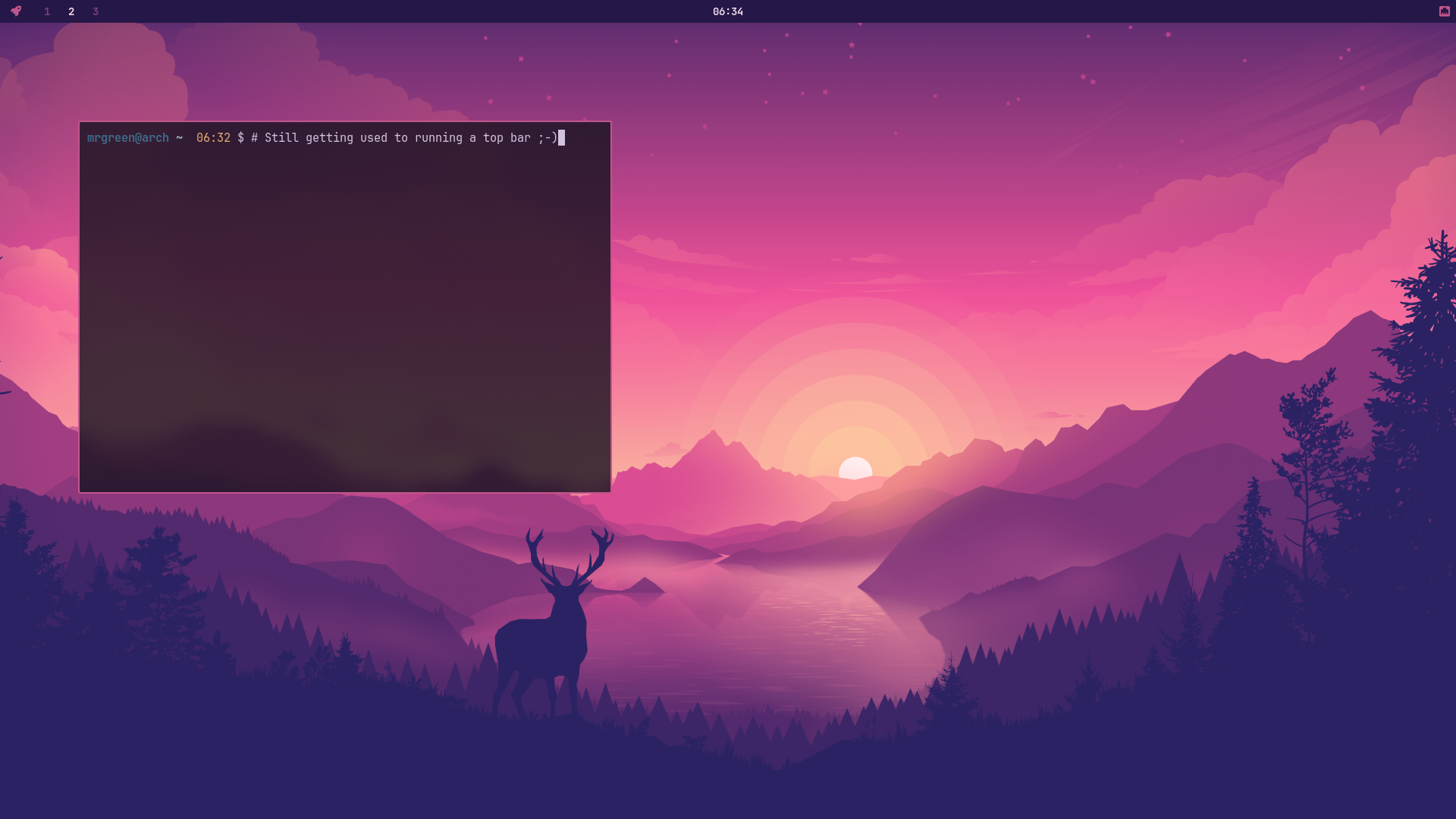
I like Omarchy more for the look and theming rather than the huge ISO image. So I thought, why not bring that over to ArchBang — basically have a themed ArchBang that kind of looks like Omarchy.
Had thought about adding a pacman menu via rofi, but it just felt so wrong to use it — not the hand-holding I really want to promote. I may include it with some features in the future, but updating pacman from a terminal is really not that difficult. I’ve included a couple of bash aliases to help instead.
Getting the look
Omarchy’s aesthetic comes largely from a consistent Hyprland/Waybar/rofi theme applied across the whole stack — matching terminal colours, matching bar, matching launcher, matching wallpaper. None of that requires a 7GB ISO. It’s just a colour scheme and a bit of config discipline, applied consistently.
For ArchBang, that meant:
– Pulling the same colour palette across Waybar, rofi, and the terminal (foot) config, rather than leaving each tool with its own defaults
– Matching wallpaper and theme so the desktop doesn’t feel like three different tools bolted together
– Keeping the underlying window manager and package set exactly as lean as ArchBang has always been — this is a coat of paint, not a fork
The point isn’t to copy Omarchy wholesale. It’s to borrow the bit that’s genuinely nice — a cohesive, considered look — without dragging in the size and the extras that come bundled with it.
Why no rofi pacman menu
This is the bit I went back and forth on. A rofi-based package menu is a nice bit of UX, and Omarchy leans into that kind of thing. But ArchBang has always been built on the idea that the terminal isn’t something to be hidden from people — it’s the whole point. Wrapping pacman in a GUI menu sends the message that the terminal is a problem to be solved around, and that’s not a message I want ArchBang sending.
So instead of a menu, a couple of aliases:
alias update='sudo pacman -Syu'

alias updates=''checkupdates
That’s it. No abstraction, no menu, no learning a new tool on top of the tool you already need to learn. You still type a command, you still see what pacman is actually doing — you just type less of it. If down the line a rofi menu adds something genuinely useful (search-and-preview before install, say) I’ll reconsider it, but as a default, “make the terminal shorter” beats “hide the terminal.”
Closing thoughts
There’s a pattern I keep coming back to with ArchBang: take the bit of an idea that’s actually good, leave the bit that’s just weight. Omarchy’s theming is good — cohesive, deliberate, worth having. Omarchy’s size is the cost of a particular set of choices I don’t need to pay, because ArchBang was never trying to be that kind of distro in the first place.
That’s really the whole philosophy in miniature. Minimal doesn’t mean plain, and it definitely doesn’t mean unfinished — it means every megabyte and every layer of abstraction has to earn its place. A theme earns its place. A GUI wrapper around three keystrokes doesn’t, not yet anyway. ArchBang stays small on purpose, and it can still look this good doing it.
Credit where it’s due: the look that started all this is DHH’s Omarchy, and it’s worth a look in its own right if a fuller, more batteries-included setup is more your thing.
Please any feedback, comments or suggestions are welcome.
Stay safe ….